
How to Make a SaaS Demo Video with AI
A founder-friendly guide to making a SaaS demo video with AI: five-act structure, evidence selection, scripts, audio, captions, QA, and publishing.
 Vidily Team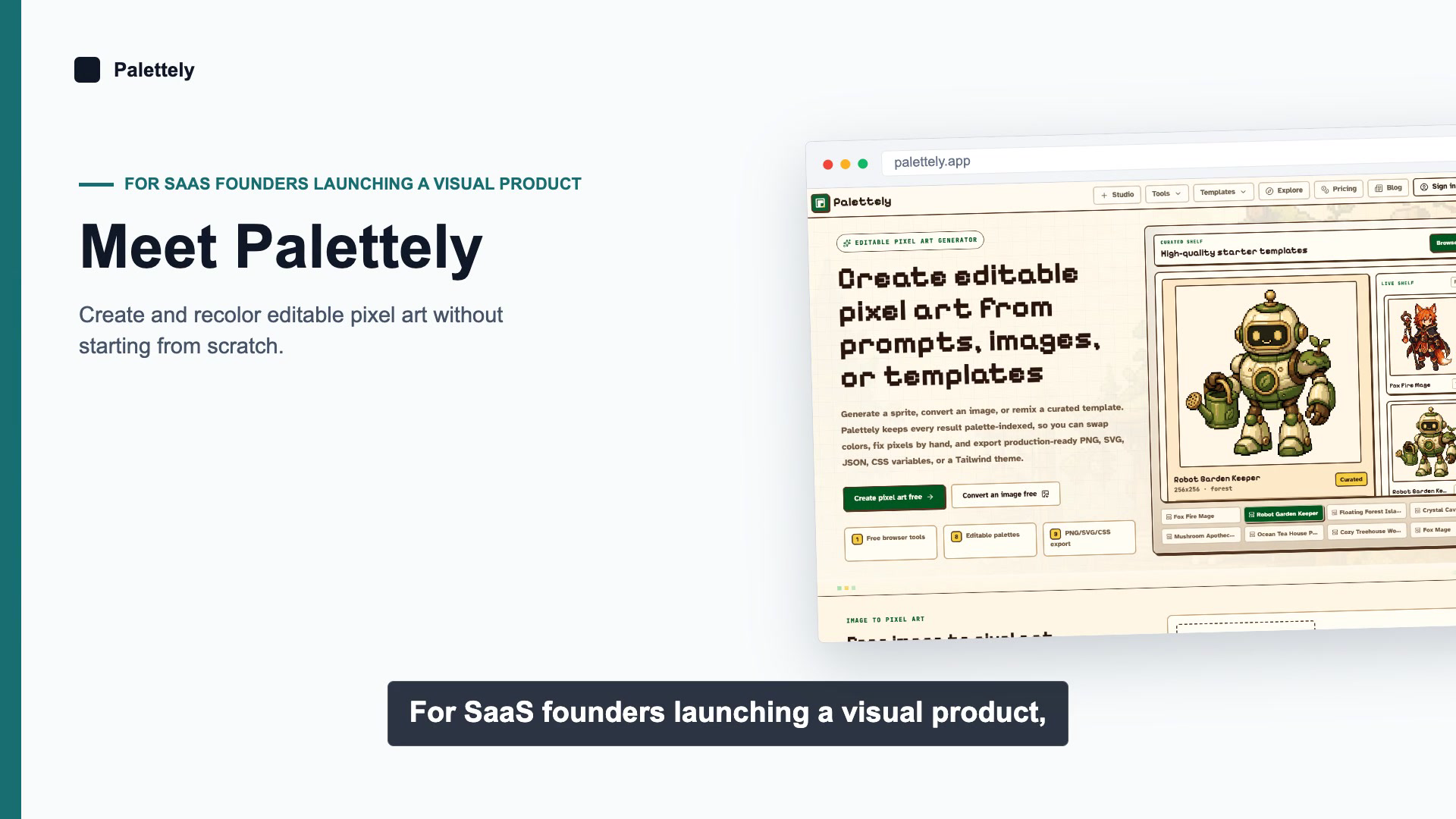
If you are a SaaS founder, the goal is not to make a flashy video. The goal is to make a video that helps a visitor understand the product faster than the page alone can. AI helps because it removes the blank-timeline problem, but the story still has to be disciplined. Good demo videos are short, specific, and built around proof.
The easiest way to keep the work focused is to start from a five-act structure. That structure gives the AI something to assemble, keeps the runtime under control, and makes review easier before you export. Vidily's /saas-explainer-video-maker and /examples/product-demo-videos pages follow that same logic: one promise, one path, one result.
Use a five-act structure
Think in scenes, not in features. A founder demo should move like this:
- Hook - state the pain in one sentence. The viewer should know who the video is for and why they should care.
- Problem - show the current workflow or obstacle. This can be a dashboard, a messy process, or a before state that feels familiar.
- Proof - show the product screen that proves the promise. This is where the UI earns its place on screen.
- Outcome - show the result of using the product. The audience should see what changes after the workflow is complete.
- CTA - close with one next step. Do not end with a slogan; end with a decision.
A useful rule is to give every act one job. If a scene tries to explain the problem, the feature set, and the call to action at once, the video starts to feel like a narrated homepage. That is too much work for the viewer.
Choose evidence before you write the script
The strongest AI videos are built from evidence first. Before you prompt anything, choose the proof assets you actually want on screen.
- Pick one public source of truth, usually the homepage or a product landing page.
- Pick one or two real UI states that show the product in use.
- Pick one result shot that shows the product finishing work, exporting, or improving a metric.
- Pick one trust cue if it is visible and current, such as a customer logo, testimonial, integration badge, or security note.
- Skip screenshots that do not help the story. Empty states, generic settings pages, and dense admin tables usually slow the video down.
For SaaS founders, the best screenshots usually answer one of three questions: what is this, how does it work, and why should I believe it? If a shot does not answer one of those, leave it out.
Vidily's example video on /examples/product-demo-videos is a good reference point because every visible claim is grounded in the product page or a real product capture. That is the standard to aim for.
Write the script after the shots are chosen
Do not start by asking the model to invent a story. Start by writing a short narration that matches the shots you already picked. A 30 to 45 second demo usually needs about 90 to 130 spoken words.
Use simple language and one idea per line:
Hook: If your product takes a long explanation, the video should do the explaining for you.
Problem: Visitors need the promise, the interface, and the result before they lose attention.
Proof: Show the real screen that demonstrates the workflow instead of abstract slides.
Outcome: The viewer should leave with one clear outcome in mind.
CTA: Start from the URL, review the story, and export the finished demo.
That kind of script is easy to narrate, easy to subtitle, and easy to compare against the visuals. It also keeps the AI from padding the video with unnecessary exposition.
Treat audio as part of the product
The voiceover should sound deliberate, not synthetic in the "generic demo" sense. If you use AI voice, pick one voice and keep it consistent across the whole video. Do not switch voices between scenes. Do not let the pacing drift from excited to rushed.
Practical audio decisions matter:
- Use a voice that matches the audience. A founder demo should sound clear and confident, not theatrical.
- Keep music minimal. A low bed can help the video feel finished, but it should never fight the narration.
- Pronounce product names, acronyms, and customer names the same way every time.
- If a term is hard for TTS, rewrite the line or record that line manually.
For most SaaS marketing videos, clean speech matters more than clever sound design. Viewers forgive simple audio. They do not forgive unclear audio.
Add captions that help reading, not clutter the screen
Captions are not a transcript dump. They are a readability layer. Keep them short enough that the viewer can follow the product and read the text at the same time.
- Prefer short, sentence-like captions over full paragraphs.
- Keep line breaks natural and avoid wrapping over UI controls.
- Use captions for the core claim of each scene, not for every word the narrator says.
- Export subtitles if the video will live on the web, and burn them in if the video is mostly for social feeds.
If the demo uses small interface text, captions are even more important. They help the viewer stay oriented without forcing them to pause every few seconds.
QA the render like a release candidate
The final render should pass the same kind of review you would give a product release.
- Check that every claim matches a visible screen.
- Check that the five acts appear in the intended order.
- Check that all text is readable at full size and on a laptop screen.
- Check for clipped logos, cut-off captions, or awkward crops.
- Check that audio starts and ends cleanly and does not jump in volume.
- Check the final export in the places you plan to publish it.
This step is where weak AI workflows usually fail. They can generate something that looks finished at first glance but falls apart when a founder inspects the claim sequence or opens the file on a smaller screen.
Publish where the video can do real work
A single founder demo can support several channels, but each channel has a different job.
- Put the best version on the homepage hero or the main product landing page.
- Use a shorter cut for Product Hunt, LinkedIn, and other launch posts.
- Embed it in sales follow-up emails when the video answers a specific objection.
- Add it to the product story section of your site so the proof is easy to find.
- Reuse it in investor or partner decks when the product needs fast explanation.
Do not post the same cut everywhere without thinking. A homepage hero can be slower and more detailed than a social clip. The audience context matters.
Common failure modes
AI makes the production faster, but it does not remove bad decisions. The most common failures are boring ones:
- Too many screenshots, so the story never settles on one idea.
- A script that reads like a feature list instead of a narrative.
- Stock footage or decorative motion that does not prove anything.
- Captions that cover the interface.
- Voiceover that explains more than the screen shows.
- A final CTA that gives the viewer no next step.
If you avoid those mistakes, the video will already be in the top tier of SaaS marketing assets. If you need a concrete starting point, use /website-to-video for a page-driven workflow, then compare the result with /examples/product-demo-videos before you ship.